Posts

What Exactly is a File System?
Image
Computers use certain types of file systems to store and organize data on media, such as a hard drive or flash drive , or CDs, DVDs, and BDs in an optical drive. A file system can be thought of as an index or database that contains the physical location of all data on the device. Data is usually organized in folders called directories, which can contain other folders and files. Any place where a computer or other electronic device stores data uses some type of file system. This includes your Windows computer, your Mac, your smartphone, your bank's ATM, even the computer in your car! Windows File Systems Historically, Microsoft Windows operating systems have supported different versions of the FAT file system. FAT stands for File Allocation Table, a term that describes what it does: It keeps a table of the disk space allocation of each file. In addition to FAT, all Windows operating systems since Windows NT support a newer file system called NTFS (New Technology File Syst...

What is RAM (Random Access Memory) ?

Image
Random Access Memory or RAM is the physical hardware in a computer that temporarily stores data and serves as the computer's "working memory." Additional RAM allows a computer to work with more information at the same time, which usually has a significant impact on overall system performance. Some well-known RAM manufacturers include Kingston, PNY, Crucial, and CORSAIR. Note: There are many types of RAM, so you may hear it by other names. It is also known as main memory, internal storage, primary storage, primary memory "stick" memory, and "stick" RAM. What is RAM Memory? In a nutshell, the purpose of RAM is to provide fast read and write access to a storage device. Your computer uses RAM to load data because it's much faster than running the same data directly from a hard drive. Think of RAM as a desktop. A desk is used for quick access to important documents, stationery, and other things you need right now. Without a desk, you would ...

External Hard Drive vs Flash Drive: What's the Difference?

Image
If you're looking for more storage, the options can be overwhelming. There are so many different combinations of drives, cables, brands, and connectors that you may not know what to do. One of the questions you might be asking yourself is: External hard drive vs. Flash drive : What's the difference? When to use a flash versus an external hard drive? General Findings Flash Drive                                                      External Hard Drive                 More portable.                                                    Less wearable. Shorter shelf life.            ...

What is a Flash Drive?

Image
A flash drive is a small, ultra-portable storage device that, unlike a traditional hard drive or optical drive, has no moving parts. Flash drives connect to computers and other devices via a built-in USB Type-A or USB-C connector, creating a sort of combination of device and USB cable. Flash drives are often called pen drives, thumb drives, or jump drives. The terms USB drive and solid-state drive (SSD) are also sometimes used, but most often refer to larger, not-so-portable USB-based storage devices like external hard drives. How to Use a Flash Drive To use a flash drive, simply plug it into an available USB port on your computer. On most computers, you will be warned that the flash drive has been inserted and the contents of the drive will be displayed on the screen, just like other drives on your computer are displayed when you browse for files. You can also use a flash drive with an Android phone or connect one to an iPhone or iPad. Exactly what happens when you use ...

How to Backup a Computer to an External Hard Drive ?

Image
Here is the explanation of how to back up a computer to an external hard drive. These instructions apply to Windows 10 & 11. How to Create a Partial Backup of Your Computer? If you want to back up your important files & folders, then you can automatically save them to an external HDD at a regular time interval of your choosing. In Windows 11, connect the external drive to your computer & then select the Start menu.  In Windows 10, type File History & select File History then type backup & select Backup settings. Choose Add a drive. Now choose an external drive you want to back up your important files & folders from Select a Drive popup that lists all the external drives connected to your computer. You will now see that A utomatically back up my files checked. It uses a default list of files & folders. Select More options to add more files & folders under the toggle. After choosing the files & folders, check the folders in Back up these ...

What is an External Hard Drive?

Image
An external drive is simply a  hard disk drive  or solid state drive that is attached to a computer externally, not internally. It is connected via a USB cable or wireless connection. Some external drives draw power through their data cable, which of course comes from the computer itself, while others may need an AC wall outlet for power. What Does External Hard Drive Mean? It is a storage device located outside of a computer that is connected via a Wireless connection or a USB cable. It is usually used to store media that a user needs to be portable, for backups & when the internal drive of the computer is already at its full memory capacity. External hard drives come in different storage capacities, but they all connect to a computer via FireWire, USB, eSATA, or wirelessly. External hard drives is portable so it can be stored in a safe & secure location.  A flash drive is a highly portable type of external hard drive. Why Should I Use an External Drive? ...

What is a Hard Drive?

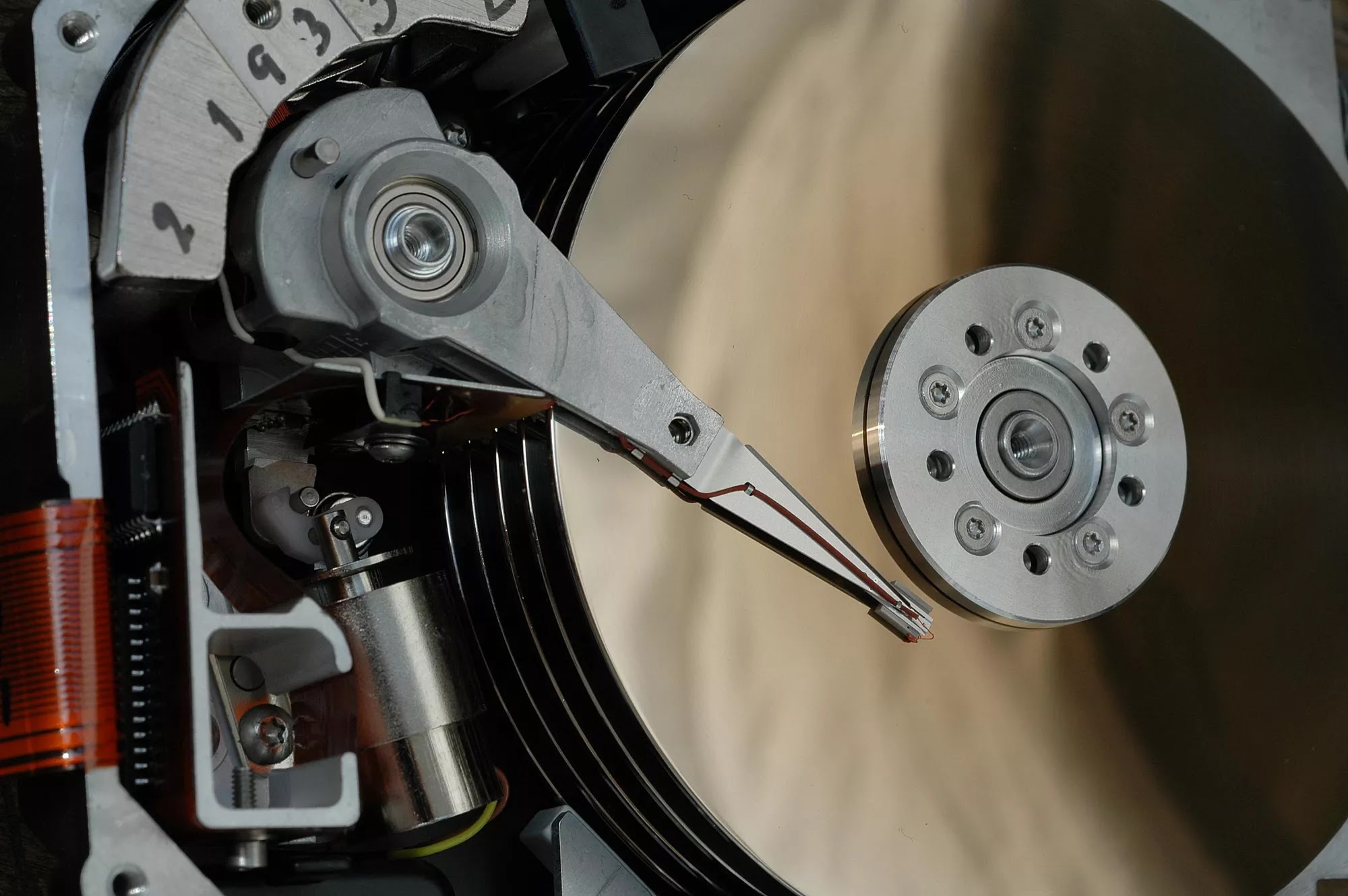
The hard drive (HDD) is the most and usually the largest hardware device for storing important data in a computer. This is a type of technology that stores the operating system , applications, and data files such as pictures, documents, and music used by your computer. The rest of your computer's components work together to show you the applications and files stored on your hard drive. The hard drive is sometimes referred to as the "C drive" because, by default MS Windows assigns the drive letter "C" to the primary partition on a computer's main hard drive. Although this is not a technically correct term, it is still widely used. For ex - some computers have multiple drive letters (for ex- C, D, & E) that represent ranges on one or more hard drives. HDD is also called hard drive, hard disk, mechanical hard drive, magnetic hard drive, fixed drive, & hard disk drive. Despite of what it's called, the primary hard drive usually contains the root fold...